
Learn
CoverCount setup guides for real venue workflows.
Practical articles for creating bookable Experiences, ticketed Events, Private Event inquiry flows, booking widgets, and direct links.
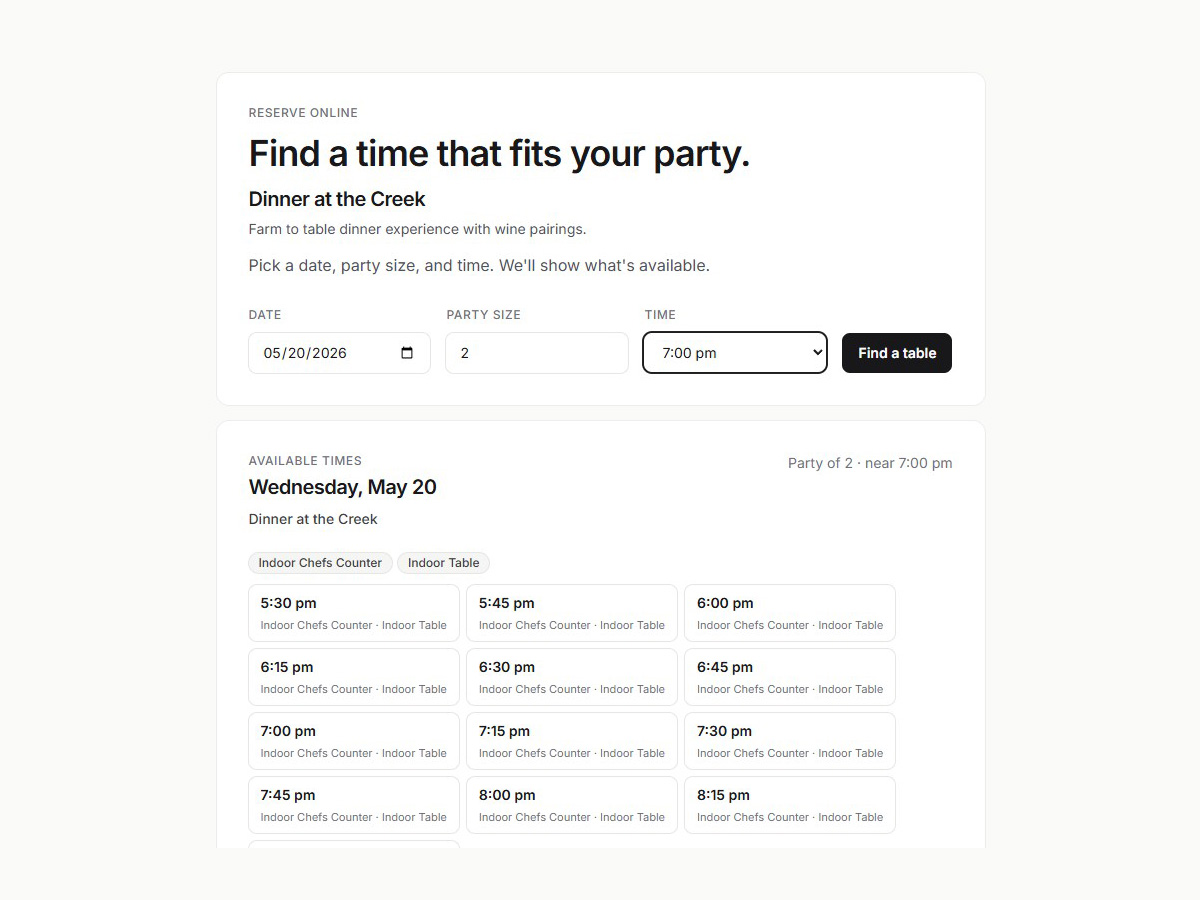
Start here when you are creating guest-facing offerings, collecting private-event inquiries, setting up CoverCount on your venue website, sharing booking links with guests, or preparing a new public workflow.
Choose the setup area that matches the work in front of you. Each topic collects the practical how-to articles for that workflow, including platform-specific guidance where it matters.
To work with your venue through Claude or ChatGPT, start with CoverCount Staff setup and usage.
To discover public places, events and reservation openings, see CoverCount Explore setup and usage.
Experience setup
Creating your Experiences
Create bookable reservation experiences, choose when to split offerings, set visibility and payment rules, and start from practical restaurant or winery templates.
14 articles
View articles
Event setup
Creating your Events
Create ticketed Events with clear guest details, dates, capacity, registration limits, pricing, member pricing, members-only registration, visibility, attendee check-in, and launch testing.
11 articles
View articles
Inquiry setup
Set up Private Events
Collect buyout, private-dining, large-party, and custom-event inquiries, route them to staff, manage request statuses, and turn booked requests into reservations.
10 articles
View articles
Website setup
Configure your booking widget
Install the booking widget, publish direct booking links, test the guest flow, and track which channels create reservations.
12 articles
View articles
Connected apps
Connect CoverCount to your assistant
Use CoverCount Explore to discover public places, events and reservations, or connect CoverCount Staff to work with your venue's bookings.
2 articles
View articles